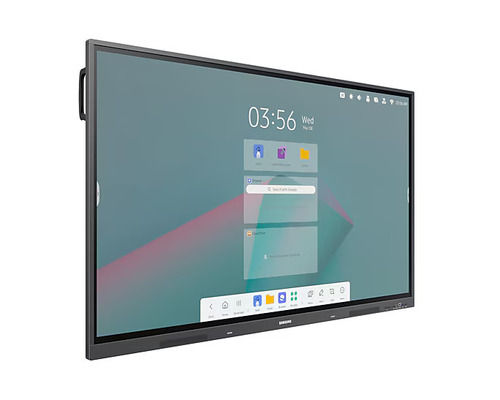
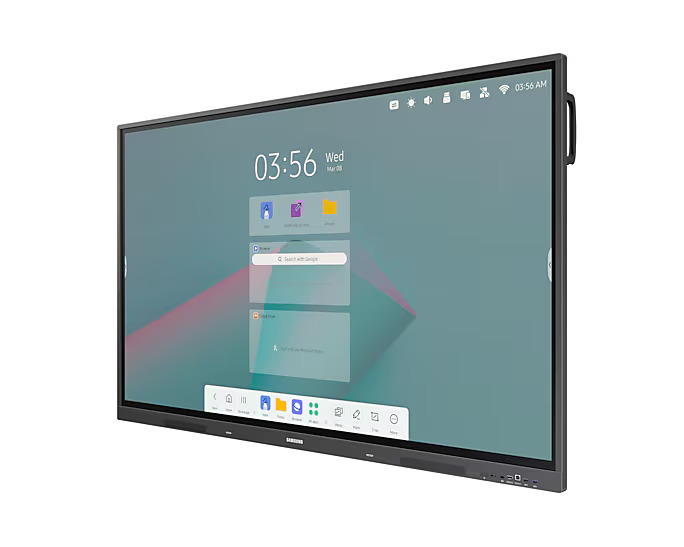
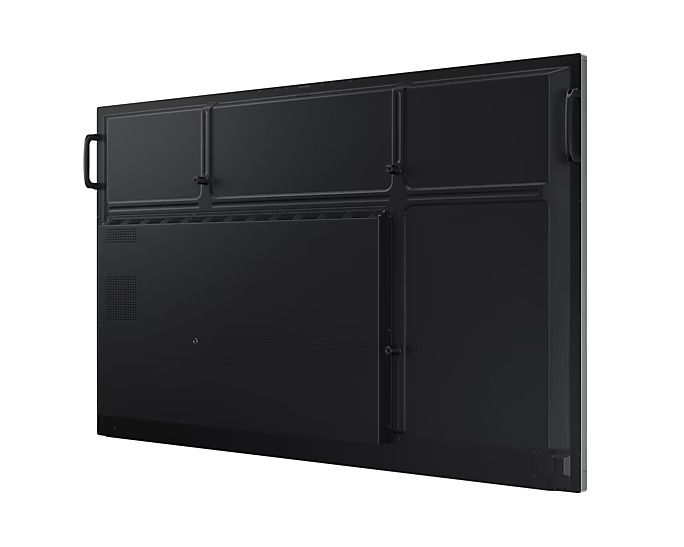
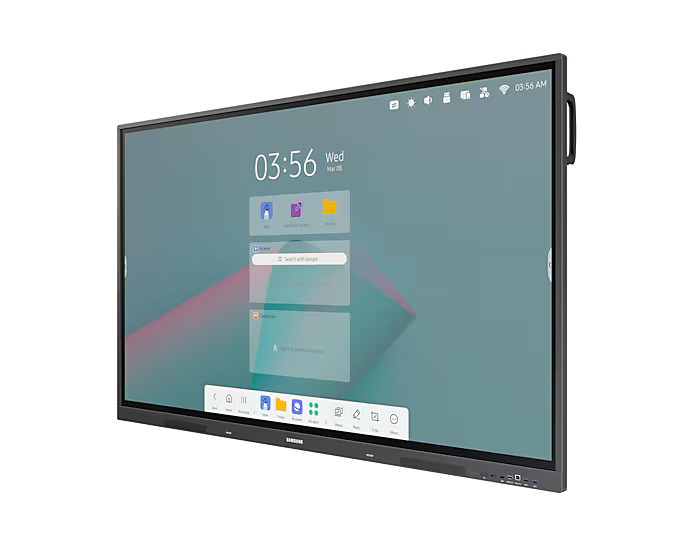
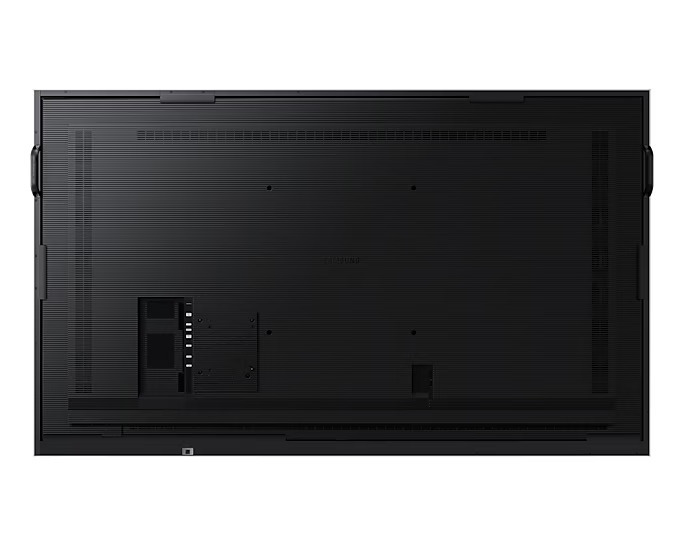
About samsung Touch Interactive Display WAC
Above Peice Is With GST.
Utility:
Interactive flat panels are versatile tools used in various settings due to their ability to combine visual display with interactive features. Heres a breakdown of their utilities across different environments:
Educational Settings
- Enhanced Learning: Teachers can use interactive flat panels to present lessons, display multimedia content, and facilitate interactive activities, making learning more engaging and dynamic.
- Collaboration: Students can work together on projects directly on the panel, using touch features to brainstorm, draw, or manipulate data.
- Remote Learning: They can support video conferencing and remote learning tools, enabling live interaction between teachers and students.
-
Corporate Environments
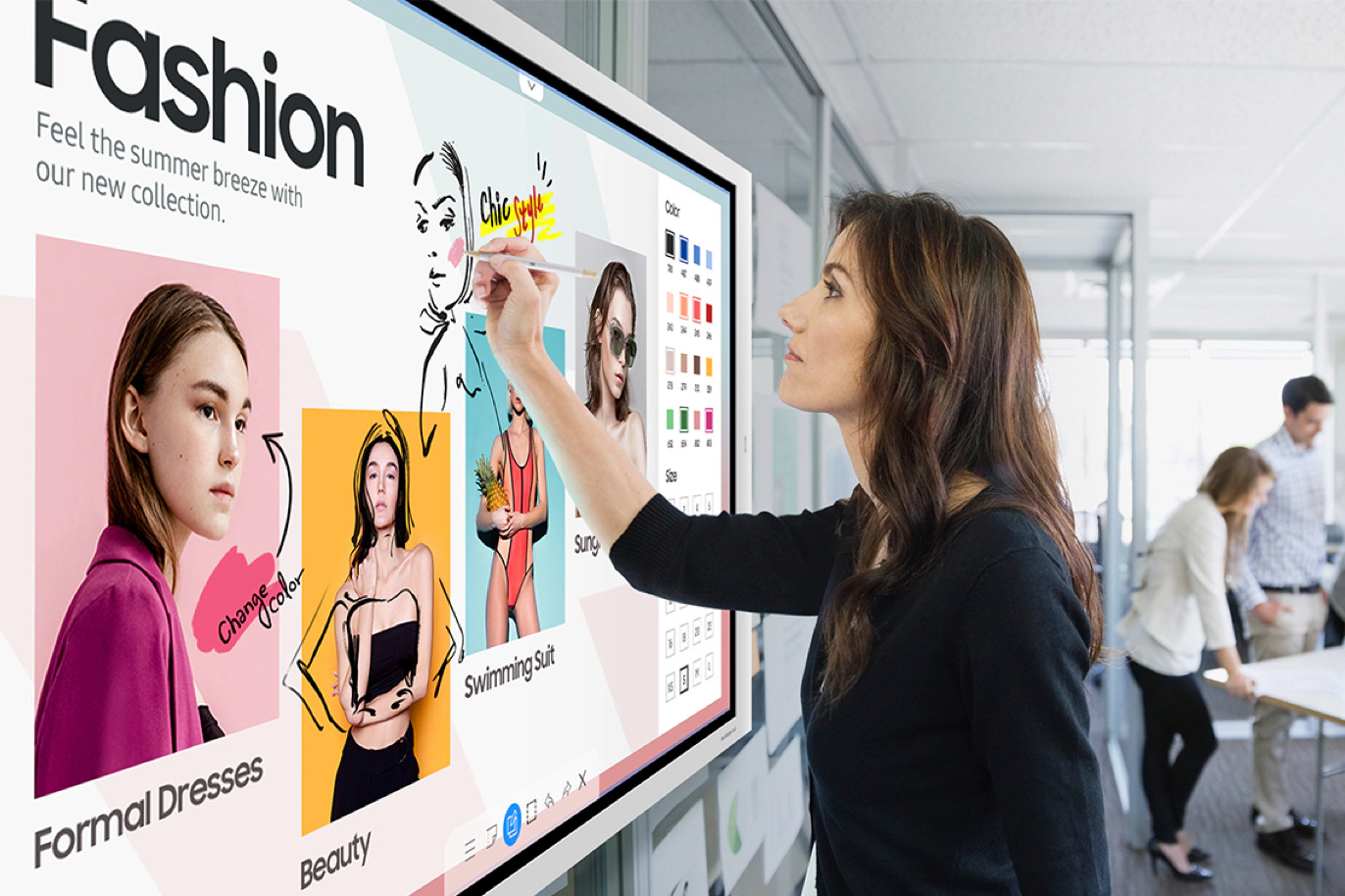
- Meetings and Presentations: Interactive flat panels are used for presentations, brainstorming sessions, and collaborative meetings. Features like touch interaction and digital whiteboarding enhance engagement and productivity.
- Training and Workshops: They can be used for training sessions, allowing for interactive exercises and real-time feedback.
- Digital Signage: Used in lobbies or meeting rooms for displaying information, schedules, or announcements.
-
Public Spaces
- Information Kiosks: Found in places like museums, malls, or airports, they provide interactive information to visitors, such as maps, directories, and promotional content.
- Wayfinding: In large venues or complexes, interactive panels help users navigate the space by providing interactive maps and directions.
-
Healthcare
- Patient Education: Used to educate patients about conditions, treatments, and health information in a visually engaging way.
- Clinical Collaboration: In medical settings, these panels facilitate collaboration on patient data, medical imaging, and treatment planning.
Retail
- Customer Engagement: Interactive panels in stores can enhance the shopping experience with interactive product displays, promotions, and virtual try-ons.
- Point of Sale: Used at checkout stations or customer service areas to provide information or assist with transactions.
-
Government and Military
- Command and Control: Used in operations centers for real-time data visualization, coordination, and strategic planning.
- Public Information: Provides information to the public during events, emergencies, or routine announcements.
-
Hospitality
- Guest Information: In hotels, interactive panels can provide guests with information about services, room controls, and local attractions.
- Entertainment: Can be used for in-room entertainment, allowing guests to access streaming services, news, and interactive guides.
-
General Benefits
- Touch and Gesture Control: Enables intuitive interaction with content, making it easier to manipulate and navigate.
- Integration with Other Tools: Often integrates with software and hardware systems, including video conferencing, digital whiteboards, and educational apps.
- High-Resolution Displays: Provides clear and vibrant visuals, enhancing the quality of presentations and interactions.
Interactive flat panels are valued for their ability to facilitate communication, collaboration, and engagement across various settings, making them a versatile addition to many environments.
Different Unit With Their Price:
65" WA65C 4,25,000
75" WA75C 5,75,000
Seamless Multiplatform CompatibilityThe Samsung Touch Interactive Display WAC effortlessly connects with Windows, Android, macOS, and Chrome OS devices. This extensive compatibility ensures you can use the display with a wide array of devices, making it a versatile choice for diverse environments. Whether in an office or classroom, seamless integration is guaranteed.
Durable and Protective Screen TechnologyConstructed with anti-glare and tempered glass, the display resists everyday wear while maintaining clarity even in brightly lit rooms. Advanced touch technologies, either Infrared (IR) or Capacitive depending on the model, deliver fast and accurate responses for writing or interactive activities. Enhanced durability ensures long-term value.
Flexible Installation and Included AccessoriesThe display can be mounted on the wall or placed on an optional stand, accommodating various room layouts and space requirements. Each unit includes a remote control, convenient touch pen, and reliable power cable, allowing for immediate setup and user-friendly operation from day one.
FAQs of samsung Touch Interactive Display WAC:
Q: How do I install the Samsung Touch Interactive Display WAC in my workspace?
A: You can install the WAC display either by mounting it on a wall or using the optional stand, depending on your space and preference. Comprehensive instructions and mounting hardware are typically included for a straightforward setup.
Q: What are the main benefits of the anti-glare and tempered glass screen?
A: The anti-glare coating minimizes reflections, ensuring clear visibility in bright environments. Tempered glass enhances durability and safety, protecting the display from scratches, impacts, and daily wear.
Q: When should I use the provided touch pen, and is finger touch also supported?
A: The touch pen is ideal for precision tasks such as drawing or annotating, but the display also supports finger touch, offering flexibility for different interactive needs.
Q: Where can I purchase the Samsung Touch Interactive Display WAC in India?
A: You can obtain the display from authorized dealers, distributors, retailers, service providers, suppliers, traders, and wholesalers throughout India. Check with local Samsung partners for availability and pricing.
Q: How does the infrared or capacitive touch technology affect my experience?
A: Depending on the model, the display uses either infrared (IR) or capacitive technology. Both deliver rapid response times under 8ms, but capacitive touch offers enhanced sensitivity for more precise touch control.
Q: What accessories are included with the display, and how do they enhance usage?
A: The Samsung WAC display comes with a remote control for easy navigation, a touch pen for precise input, and a power cable. These accessories support convenient operation right out of the box.
 Mon-Sat 10.00 AM to 6.30 PM
 Call Us:-
07971459304
Call Us:-
07971459304




 Send Inquiry



 Send Inquiry



 Send Inquiry
 Send Inquiry
 Send SMS
 English
 Spanish
 French
 German
 Italian
 Chinese (Simplified)
 Japanese
 Korean
 Arabic
 Portuguese